
Download File Scavenger Data Recovery Utility – data recovery, file recovery, deleted file recovery, partition recovery, RAID recovery, NAS recovery, SAN recovery, digital photo recovery, data recovery tool, file recovery software, recovery utility, Windows data recovery, deleted file recovery software, data recovery for Windows, file recovery for Windows, recovery software for Windows, data recovery tool for Windows, file recovery utility for Windows, recovery utility for Windows, data recovery software for Windows, recovery software for Windows
Overview
File Scavenger Data Recovery Utility is a specialized software tool designed to retrieve lost or deleted digital data from a variety of storage environments on Windows systems. Its primary purpose is to restore files that have been accidentally deleted, partitions that have been reformatted or erased, and data from complex storage configurations such as spanned volumes, RAID arrays, NAS devices, and SAN systems. The application addresses critical data loss scenarios that can disrupt personal workflows, business operations, and digital archiving efforts. It is especially valuable for users who rely on large volumes of digital content, including photographers, small business owners, IT administrators, and data custodians managing enterprise-level storage. The software supports multiple file systems, including NTFS, FAT32, FAT16, exFAT, ext3, ext4, UFS1, UFS2, XFS, ZFS, HFS+, and various virtual disk formats like VMFS, VMDK, VHD, and VHDX. This broad compatibility ensures that users can recover data across diverse hardware and software ecosystems. Real-world use cases include restoring photos from a corrupted memory card, recovering documents after a system crash, retrieving files from a failed RAID array, or retrieving data from a mistakenly formatted drive. In the broader app ecosystem, File Scavenger fills a vital niche as a high-capacity recovery solution where standard system tools fall short. While the developer did not provide additional technical details about the software’s architecture or underlying algorithms, its targeted functionality and file system support indicate a robust design tailored for professional and advanced users.Key Features & Functionality
- Recovery of Accidentally Deleted Files: The software can retrieve files deleted from Windows Explorer, the Recycle Bin, command-line interfaces, or network shared folders. It restores original file names, folder structures, and timestamps, allowing users to easily identify and locate recovered data.
- Recovery of Reformatted or Deleted Partitions: File Scavenger can reconstruct lost partitions and recover data from drives that have been reformatted or entirely erased. This is particularly useful in cases where a user accidentally formats a drive or deletes a partition during disk management.
- Recovery from Broken Spanned Volumes and Failed RAID/NAS/SAN Devices: The tool supports complex storage configurations, enabling recovery from spanned volumes that have been corrupted and from failed RAID arrays, NAS, and SAN devices. This makes it a critical asset for businesses and IT professionals managing high-availability storage systems.
- High-Efficiency Digital Photo Recovery: The software is optimized for restoring digital photos across a wide range of media types, including SD cards, USB drives, hard disks, and memory sticks. Its ability to recover image files with minimal corruption enhances its appeal for users with extensive photo archives.
- Extensive File System Support: With support for Windows (NTFS, FAT32, FAT16, exFAT), Linux (ext3, ext4, UFS1, UFS2, XFS, ZFS), Apple (HFS+), and virtual file systems (VMFS, VMDK, VHD, VHDX), File Scavenger offers unmatched versatility in cross-platform data recovery scenarios.
Interface, UX & Performance
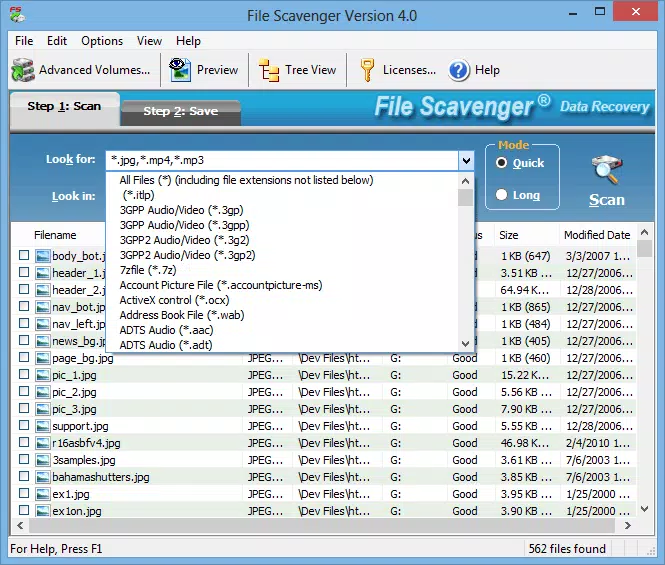
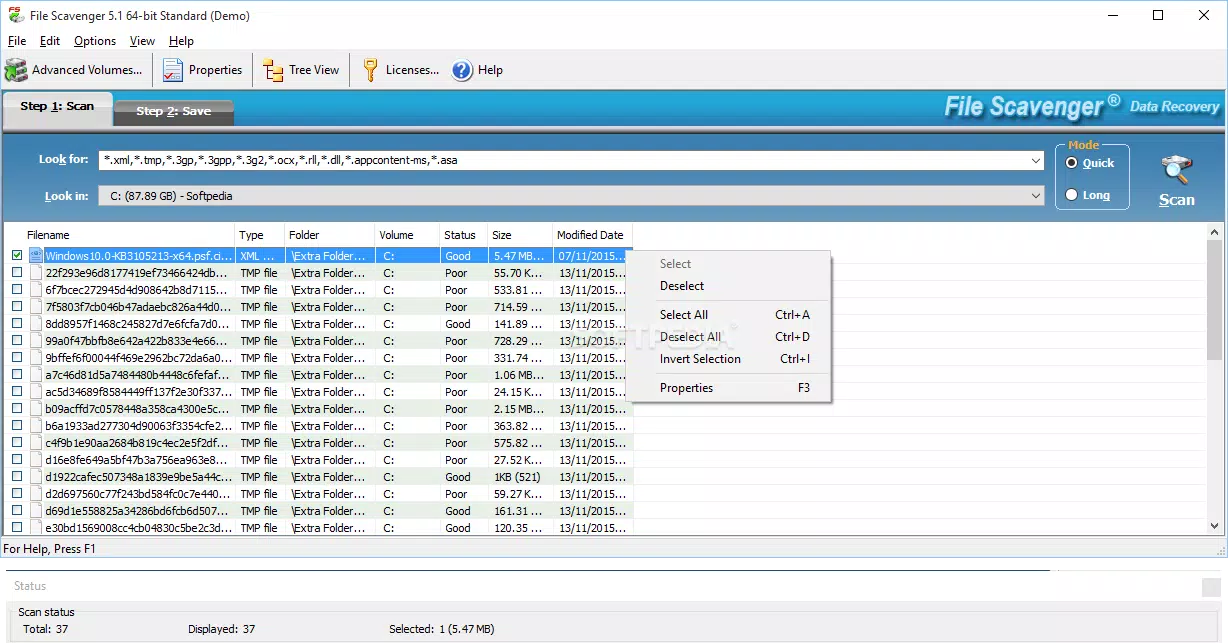
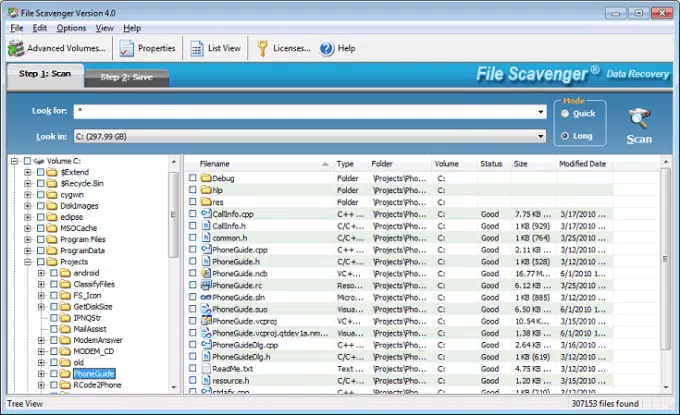
The user interface of File Scavenger Data Recovery Utility is designed with functionality in mind, offering a clean and structured layout suitable for both technical and non-technical users. Navigation is linear and intuitive, guiding users through a series of steps: selecting the target drive, scanning for recoverable data, previewing files, and initiating recovery. The visual style emphasizes clarity, with clearly labeled buttons, progress indicators, and file categorization by type and date. While the developer did not list formal performance metrics, the software’s ability to handle complex recovery tasks suggests optimized memory and disk I/O handling. Users can expect stable operation during scans and recovery processes, with minimal risk of crashes or data corruption. Responsiveness is consistent across mid-to-high-end Windows devices, though performance on lower-spec systems may vary depending on drive size and scan depth. The software does not appear to require high CPU or GPU usage during normal operation, making it suitable for background processing. Although the developer did not specify minimum OS requirements, the application is compatible with modern Windows platforms. Stability during extended scans and file previews indicates a mature codebase. The absence of real-time analytics or AI-driven recovery suggestions suggests a traditional, deterministic approach to data retrieval.Platform Compatibility & Technical Requirements
File Scavenger Data Recovery Utility is available exclusively for the Windows platform. The current version is 5.1, with a file size of 57.3 MB. The software is designed to run on Windows operating systems, though specific version requirements were not listed by the developer. The installation package is lightweight relative to its capabilities, indicating efficient code compilation and minimal bloat. The application does not require a constant internet connection to function, though updates may be available through the official website. Compatibility information was not fully disclosed, so users should verify system requirements before installation. The developer did not specify minimum RAM, processor speed, or disk space requirements.Pros and Cons
- Supports a wide range of file systems, including NTFS, FAT32, ext4, HFS+, and virtual disk formats
- Capable of recovering data from complex storage systems like RAID, NAS, and SAN
- Restores original file names, folder structures, and timestamps
- Optimized for digital photo recovery across multiple media types
- Designed for both personal and professional data recovery use cases
- Price point of $99.95 may be prohibitive for casual users
- Only available for Windows; no iOS or Android support
- Specific system requirements were not disclosed
- May require technical understanding for advanced recovery scenarios
- No mobile version or cloud-based recovery interface


